
Are you a property owner in Kolkata looking to transfer ownership of your property? The process of property registration is essential to ensure the smooth and secure transfer of ownership and protect the rights of property owners. Fortunately, the West Bengal government offers the E-Nathikaran portal, an online platform that allows property owners to apply for property registration easily.
In this article, we will provide a comprehensive, step-by-step guide on how to use the E-Nathikaran portal to complete the property registration process in Tamil Nadu.
See also: West Bengal stamp duty and registration charges
What is the E-Nathikaran portal?
E-Nathikaran is an online portal offered by the West Bengal Property and Land Registration Department in India that allows property owners to complete the process of registering a property in Kolkata and other cities in West Bengal. The portal enables users to submit identity proofs and property details and prepare an e-deed online, streamlining the property registration process.
The final step of the process, which involves verification at the Sub-Registrar’s Office, still requires in-person attendance. The E-Nathikaran portal aims to make the property registration process more convenient and efficient for property owners in West Bengal.
How to register property on E-Nathikaran portal?
Online registration on E-Nathikaran
Begin the process by visiting the E-Nathikaran portal of the West Bengal Property Registration Department. Navigate to the “e-requisition form filling” option. You will need to fill out a form to calculate the registration cost, stamp duty, and market value.
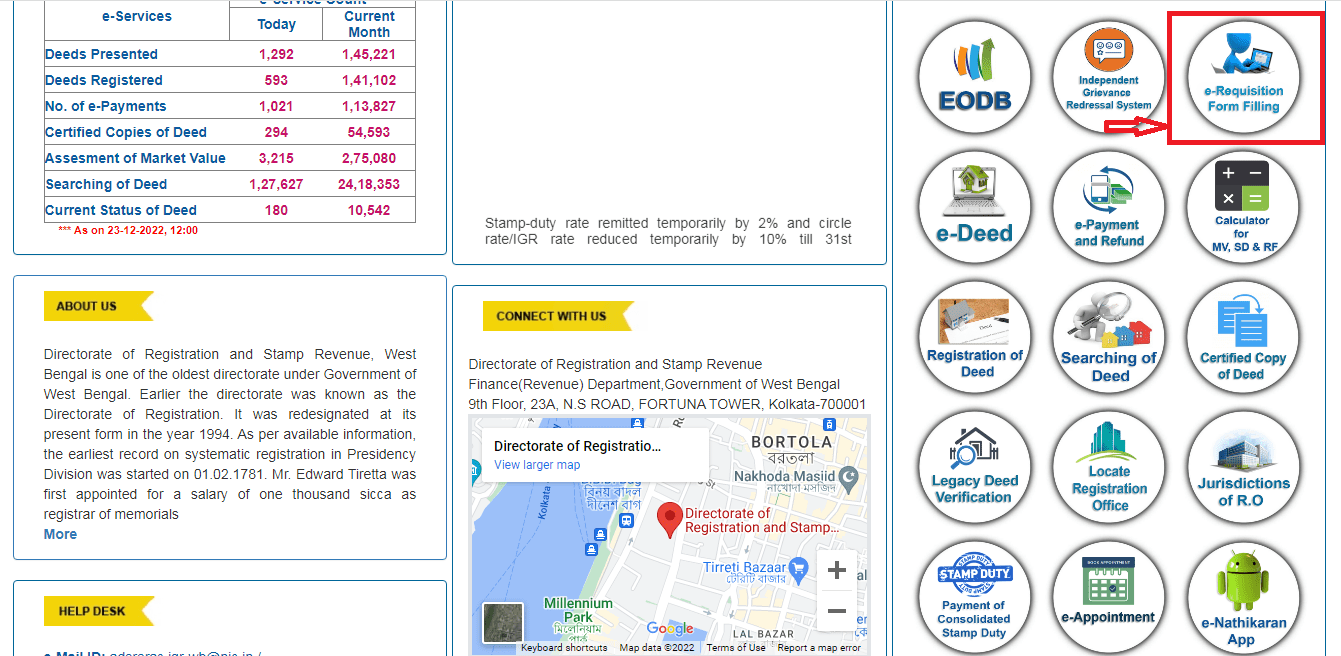
Choose “Fill out a new e-Requisition form” if this is your first time using the platform. The “Fill up incomplete e-requisition form” option allows you to return and finish the form later if you do not finish it all at once.
Before submitting the deed to the Sub-Registrar, you may change the e-request application and upload supporting documents.

Terms and conditions
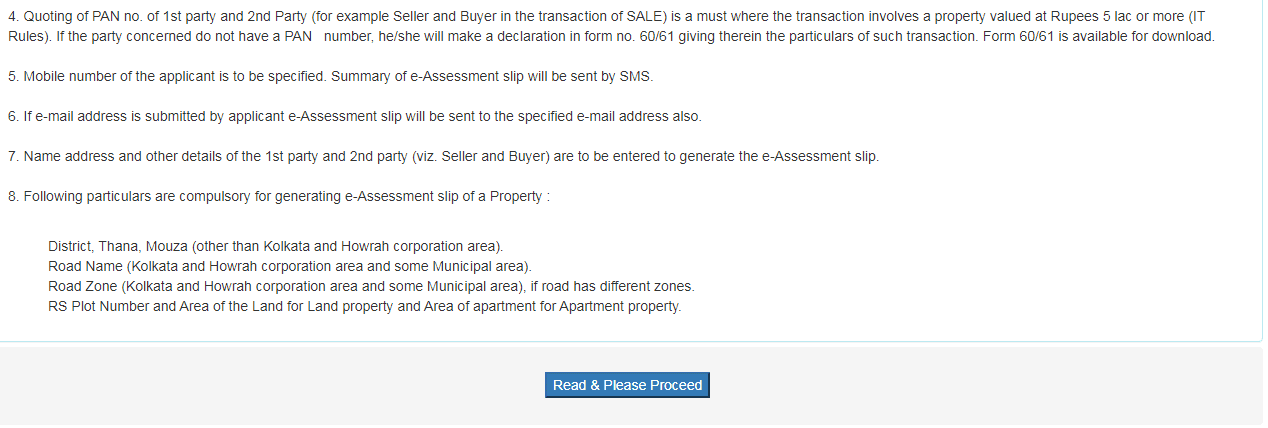
If this is your first time using the site, you will be sent to a page with instructions where you may review the terms and conditions and the directions for filling out the evaluation form. To go on, choose “Read & Proceed” from the options.
Forms
As a new user, you will need to complete the following three forms:
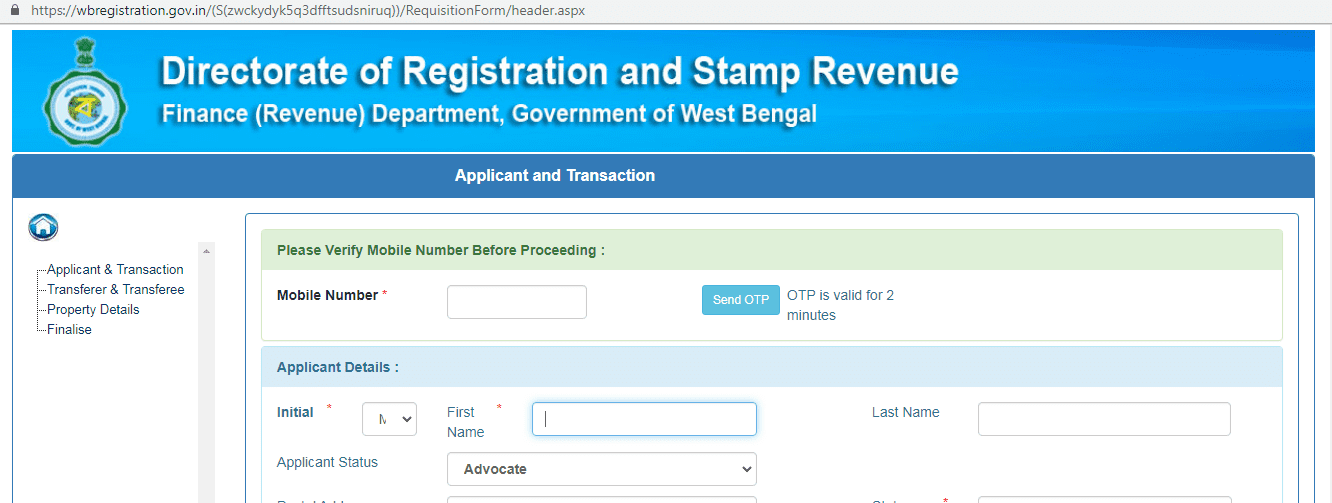
Applicant & Transaction
You will need to enter the applicant, property, and transaction-related information in this form. An applicant could be a buyer, advocate, seller, deed writer, solicitor firm, or claimant’s attorney.
Transferor & Transferee
You will need to enter the seller’s and buyer’s information in this form. You can add details for more than one seller or buyer if it is a joint property.
Property details
In this section, you will need to provide information about the property you are registering. This may include the district, local authority, and ward number where the property is located. You may also need to provide details about the property type, such as whether it is a residential, commercial, or industrial property.
Deed registration
After completing the forms and providing the property details, you must register the deed on the E-Nathikaran portal. You must select the appropriate registration office and generate a query number to do this. The query number is a unique identifier used to track your application and pay the stamp duty, a tax levied on the transfer of ownership of a property.
Once you have generated your query number, you will need to use it to pay the stamp duty, which is typically paid online through the E-Nathikaran portal. After paying the stamp duty, you must visit the Sub-Registrar’s Office to verify and finalise the deed registration process.
How to submit an e-deed on E-Nathikaran?
If you want to submit the e-deed on the E-Nathikaran portal, you must follow the following three steps.
Sales deed registration
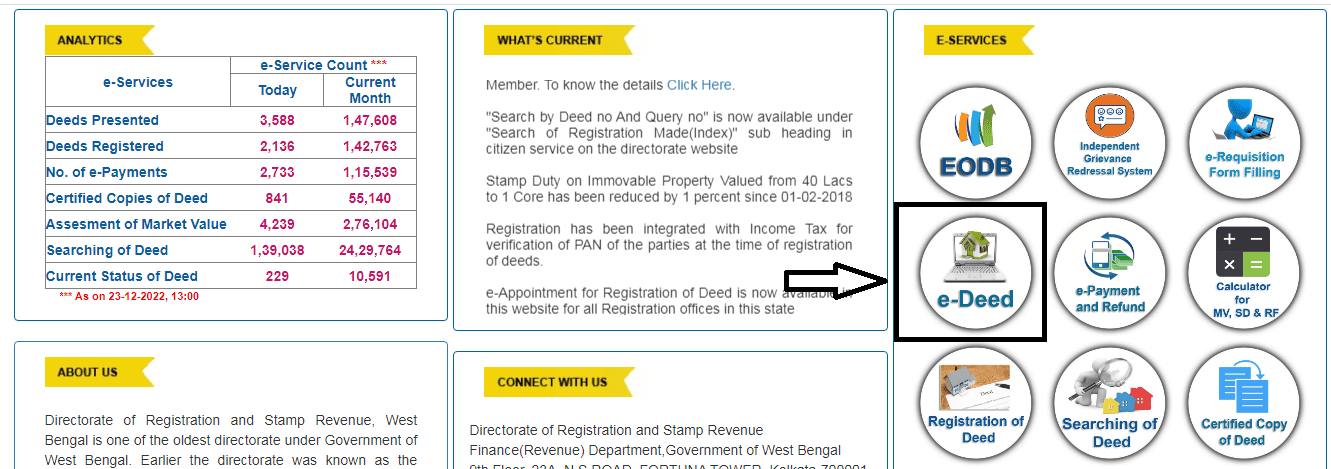
You may prepare and submit an e-deed by going to the E-Nathikaran site, clicking on the e-registration of the deed, and selecting the “Preparation and submission of e-Deed” option.
Submit specifics
Simply choose “Read & Proceed” and then refer to the query number. Complete the form by providing the necessary details, such as the purchase terms and conditions and the ownership history, which may be modified from the default options.
After submitting the final text of the sales deed, the Sub-Registrar is responsible for uploading the accompanying documents, which include the boundary information, land specification, common area, scribe data, letter of appreciation, and witness details.
Deed submission
Carefully review the draft deed before submitting it for departmental review. You will get a text message as soon as the draft e-Deed is accepted. This often occurs on the first day after an application has been submitted. Pay the registration costs and stamp duty when the e-deed has been authorised.
How to pay registration and stamp duty charges on the E-Nathikaran portal?
You must follow three simple steps to pay your registration and stamp duty charge on the E-Nathikaran portal. The steps are given below.
E-payment
Check out the E-Nathikaran website. To pay your registration and stamp duty charge online, click the “e-payment and refund” link.
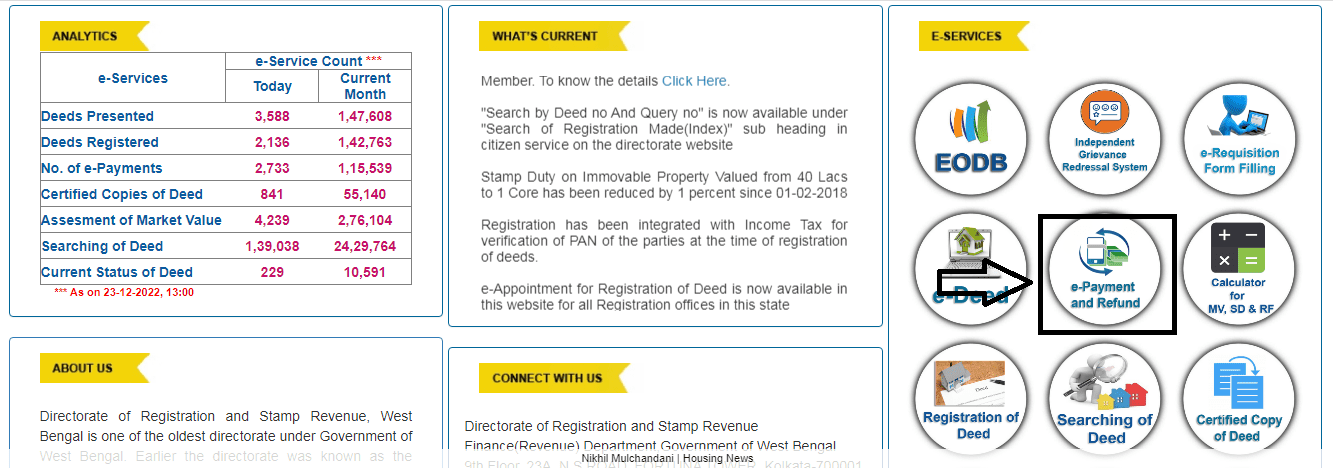
Include the specifics
Input the query year and number. The buyer’s bank information should be entered here in case of a refund. The link to the secure payment page will appear. Choose the “Taxes and other revenue” option.
Payment process
Choose “Directorate of Registration and Stamp Revenue” and then “Payment of Stamp Duty” under “Department.” Indicate the depositor’s title and the inquiry number. Make a payment by filling out the required fields. The GRN is a government reference number that may be used in the future.
What is the procedure at registrar’s office?
You must go to the office of the Sub-Registrar to have your papers validated and uploaded. Bring both the original papers and certified copies of those documents. If you still need to sign and process your e-Deed, you will verify it there and record your fingerprint and signature. After the application has been validated, your deed will be provided, and the registrar’s office will appropriately document the deed.
Documents required
You will need the following documents to use any of the services offered on the E-Nathikaran platform.
- Approved identification documents, such as voter IDs, PAN cards, Aadhaar cards, passports, and driver’s licences.
- A document detailing the property’s stamp duty, market value, and registration cost.
- Both parties must produce their PAN cards or Form 60, together with a valid photo ID and proof of residence.
- Registration charge and tax receipt
- Any required authorisations from authorities
All required documentation and fees must be submitted to the appropriate authority within four months after the date of execution.
FAQs
What is e-Nathikaran?
E-Nathikaran is an online portal offered by the West Bengal Property and Land Registration Department in India. It allows property owners to register their property in Kolkata and other cities in West Bengal.
What does the e-Nathikaran portal do?
The E-Nathikaran portal enables users to submit identity proofs and property details and prepare an e-deed online, streamlining the property registration process.
How do I register for e-Nathikaran?
To register for e-nathikaran, you must visit the website and create an account. You will need to provide some personal information, as well as proof of identity and proof of ownership for any land that you wish to register.
How can I get a digital copy of a deed in Kolkata?
If you have the deed's serial number and any other required information, you may access the site and get a certified copy of the deed.
How can I look up the legacy deed?


